 Wealth
Explore a sample Canadian portfolio before creating your account.
The WealthWise demo shows the dashboard, accounts, holdings, estimated dividends and alerts with example data. Nothing is saved, and you can leave whenever you want.
Sample portfolio only. No brokerage password required to explore.
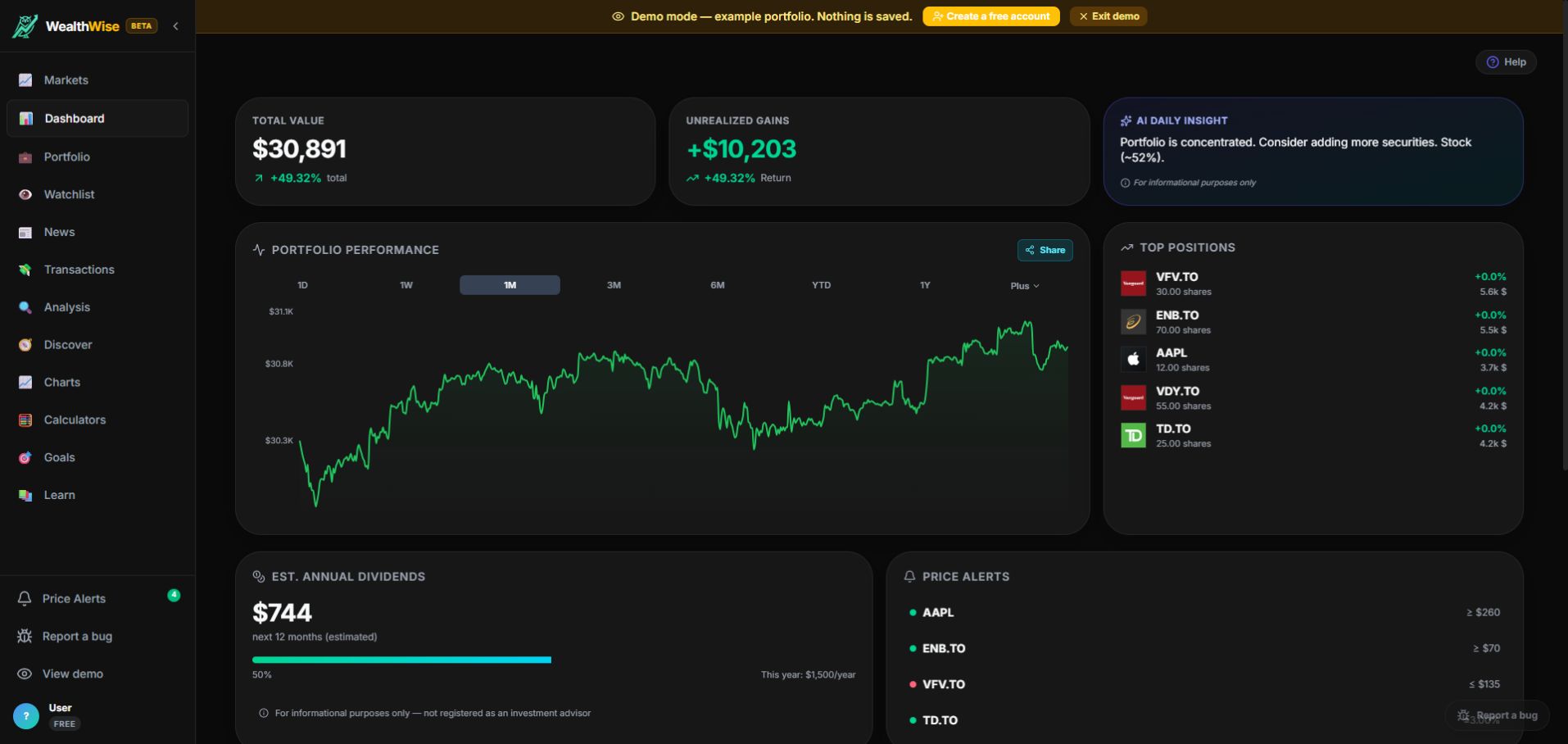
Screenshot taken from the public demo with a sample portfolio. WealthWise is an analysis tool, not a financial advisor.
See total value, unrealized gains, return and a daily portfolio summary.
Sample TFSA/RRSP-style accounts, Canadian and U.S. holdings, estimated dividends.
The demo changes nothing. It is a front door for understanding the product.
What you can check in the demo
Before adding your own holdings, you can see how WealthWise organizes a Canadian portfolio and which analysis views become available.
Portfolio view
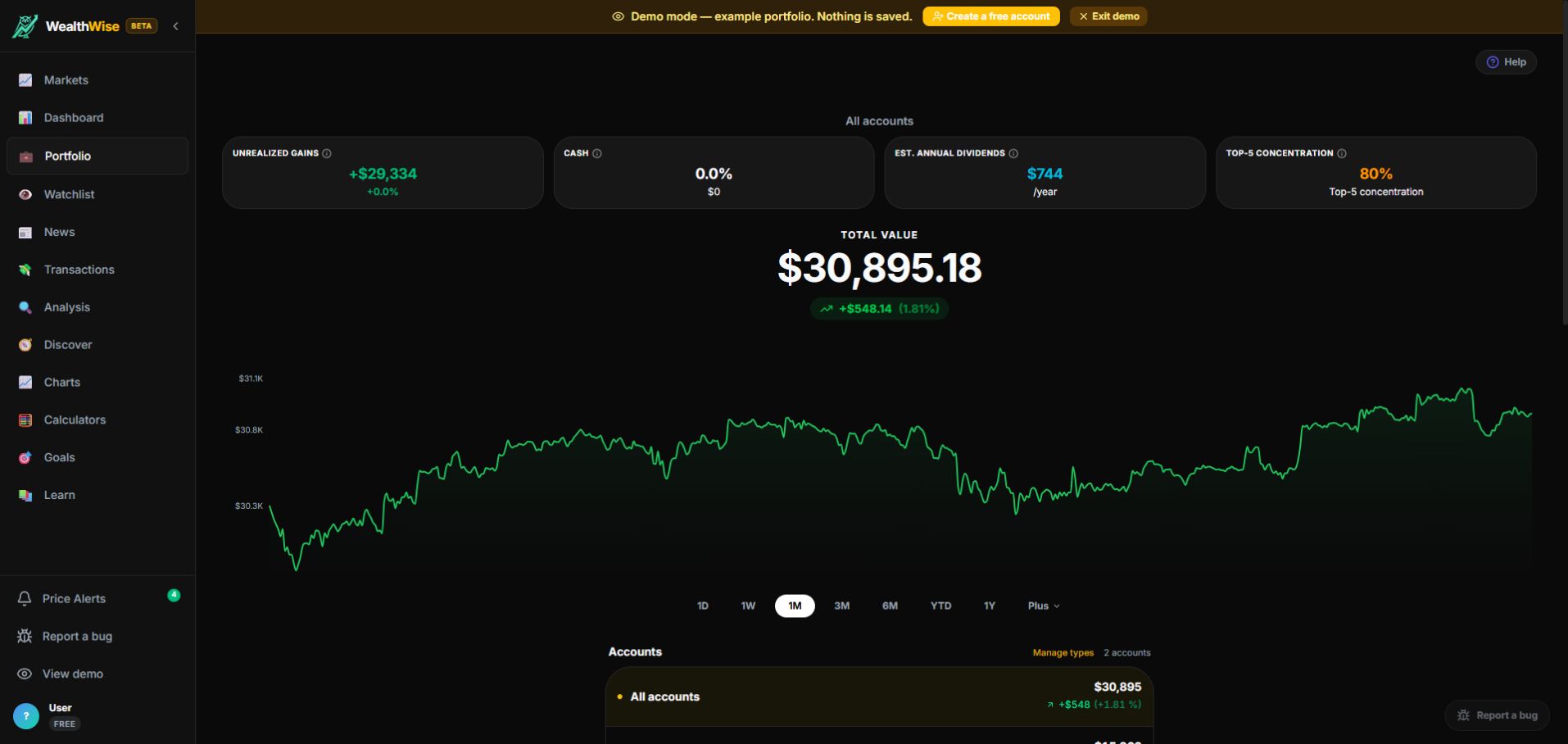
Compare accounts, assets, top-position concentration and total value.
Readable performance
The performance chart helps you understand how the portfolio moved across time ranges.
Move to a real account
When you are ready, create a free account and replace sample data with your own holdings.
Frequently asked questions
Does the demo replace a WealthWise account?
No. It is for exploring the product. To save a portfolio, create an account.
Does WealthWise recommend what to buy or sell?
No. WealthWise provides portfolio analysis for informational purposes. For personalized recommendations, consult a registered professional in your province.
Why not index /demo directly?
/demo is an app route. This public page explains the demo with stable content, screenshots and clear links for search engines.
See WealthWise in action now.
Open the demo, explore the sample portfolio, then create a free account if the interface feels right.